


Keeping your car navigation system updated in 2026 is essential if you want accurate routes, correct traffic data, and the latest road information. No matter which brand you drive, the update process follows similar principles.
Why You Need to Update Your Navigation System
Outdated maps can lead to:
- Missing new roads and highways
- Incorrect speed limits
- Longer travel times
- Missing POIs like fuel stations or parking
Regular updates ensure your navigation system works fast and accurately.
Types of Navigation Systems
Different vehicles use different update methods:
- Built-in factory navigation
- SD card-based systems
- USB update systems
- Internal HDD/SSD systems
Before downloading maps, you must identify your system type.
https://navimapupdate.eu/product-category/mercedes/
https://navimapupdate.eu/product-category/audi/
Map Regions and Versions

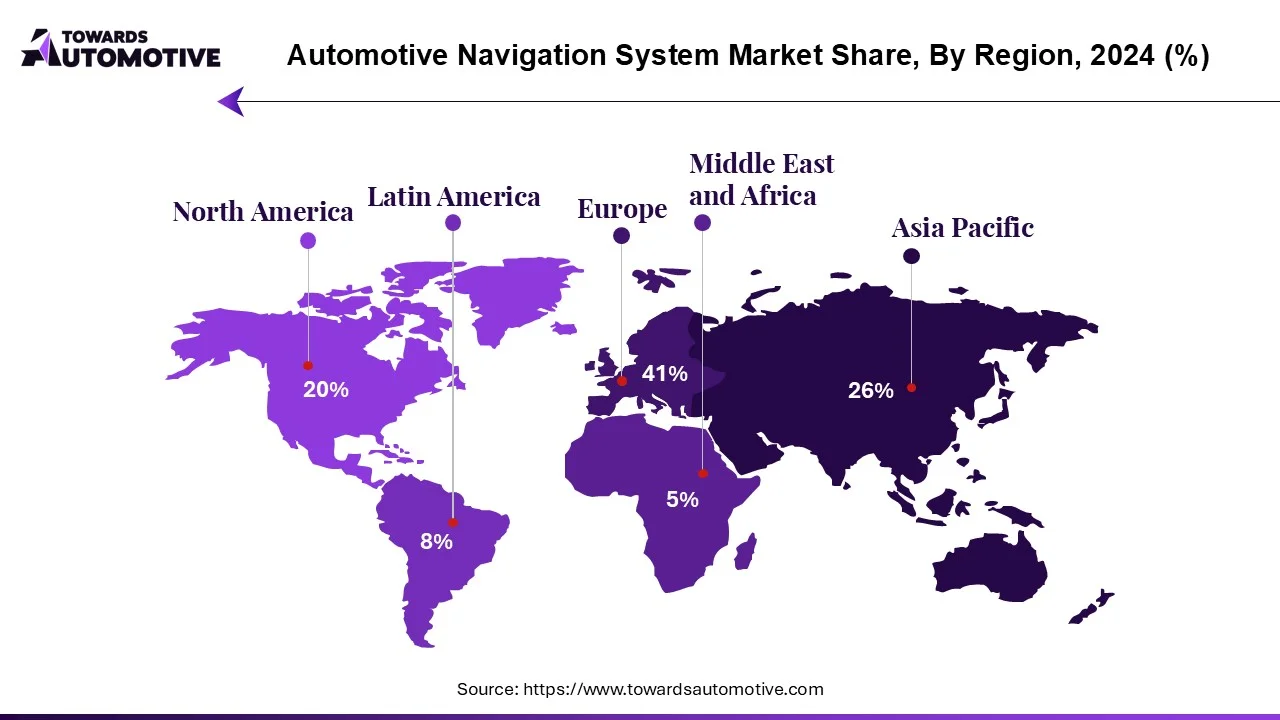

Navigation maps are released by region:
- Europe
- North America
- Asia
- Middle East
And updated every year:
- 2024
- 2025
- 2026
New versions include better routing and updated infrastructure.
How to Update Your Car Navigation (Step-by-Step)
Step 1 – Check Your Current Version
Open navigation settings and find version info.
Step 2 – Download the Correct Maps
Make sure the update matches:
- your car brand
- your system
- your region
Step 3 – Prepare USB or SD Card
- 32–64 GB storage
- Format: FAT32 or exFAT
Step 4 – Install the Update
- Insert USB/SD into the car
- Follow instructions on screen
- Wait until installation completes
Do You Need an Activation Code?
Some systems require activation:
- VIN-based code
- License key
- Pre-activated updates
How Long Does It Take?
- Download: 30 min – 3 hours
- Installation: 20 – 90 minutes
Tip: Keep engine running during installation.
Common Problems
- Update not detected → wrong format
- Installation stops → bad USB
- Wrong version → incompatible system
Conclusion
Updating your car navigation system in 2026 is one of the easiest ways to improve your driving experience. With the correct maps and proper installation, your system will work faster, smarter, and more reliably.