


Updating your Hyundai navigation system in 2026 is essential for accurate routes, new roads, and improved driving experience. Hyundai regularly releases map updates that enhance navigation performance and fix outdated data.
Whether you drive a Tucson, Santa Fe, i30, or Kona, this guide will help you update your maps quickly and safely.
👉 https://navimapupdate.eu/product-category/hyundai/
Why You Should Update Hyundai Maps
Outdated navigation maps can cause:
- Missing new roads and highways
- Incorrect speed limits
- Poor route calculation
- Missing POIs (fuel, parking, cameras)
Updating ensures your system works smoothly and accurately.
Hyundai Navigation Systems Overview


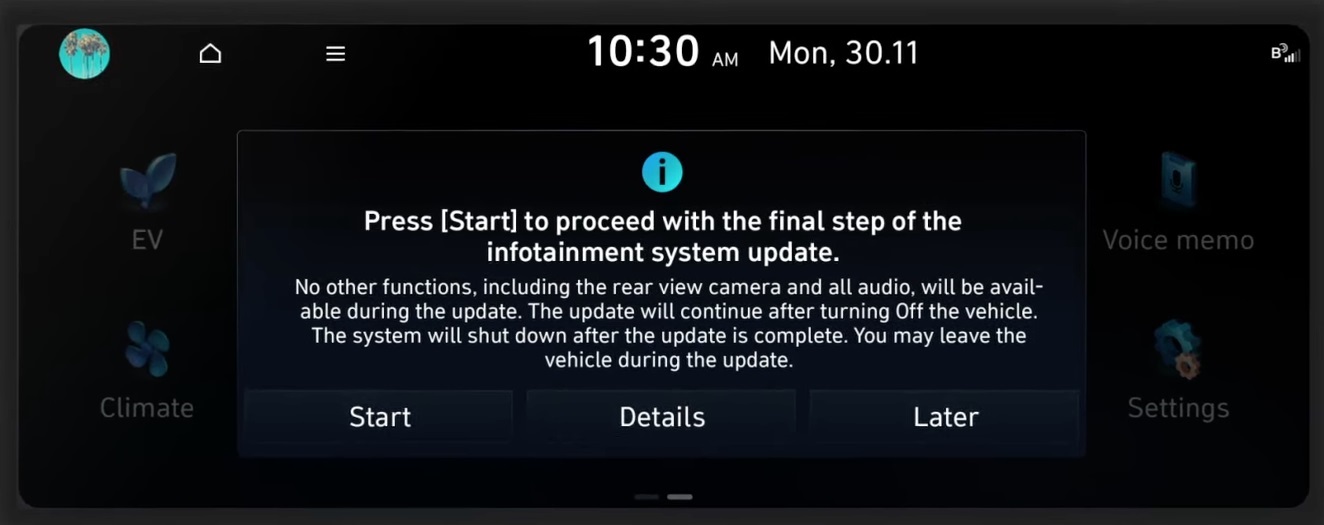
Hyundai vehicles use different navigation systems depending on model and year:
- Standard Gen1 / Gen2 systems
- Gen5 / Gen5W navigation
- SD card-based systems
- USB update systems
Before updating, you must identify your system version.
Hyundai Map Versions and Regions
Navigation maps are released by region:
- Europe
- USA & Canada
- Middle East
- Asia
Latest versions include:
- 2024
- 2025
- 2026
New updates improve routing, add roads, and update traffic data.
👉 https://navimapupdate.eu/product-category/hyundai/
How to Update Hyundai Navigation (Step-by-Step)
Step 1 – Check Your Current Version
Go to:
Settings → Navigation → Version Info
Step 2 – Download Correct Maps
Make sure the update matches:
- your Hyundai model
- your system version
- your region
👉 https://navimapupdate.eu/product-category/hyundai/
Step 3 – Prepare USB or SD Card
- 32–64 GB storage
- Format: FAT32 / exFAT
Step 4 – Install the Update
- Insert USB/SD into the car
- Follow on-screen instructions
- Wait until installation completes
Do Hyundai Updates Require Activation?
In most cases:
- No activation code required
- Plug & Play updates
However, some older systems may require verification.
How Long Does It Take?
- Download: 1–2 hours
- Installation: 30–80 minutes
Tip: Keep engine running during update.
Common Problems with Hyundai Updates
- Update not recognized → wrong format
- Installation fails → corrupted files
- Wrong version → incompatible system
Compatible Hyundai Models
This update guide applies to:
- Hyundai Tucson
- Hyundai Santa Fe
- Hyundai Kona
- Hyundai i30
- Hyundai Elantra
- Hyundai Sonata
Conclusion
Updating your Hyundai navigation system in 2026 ensures accurate routes, better driving efficiency, and access to the latest road data.