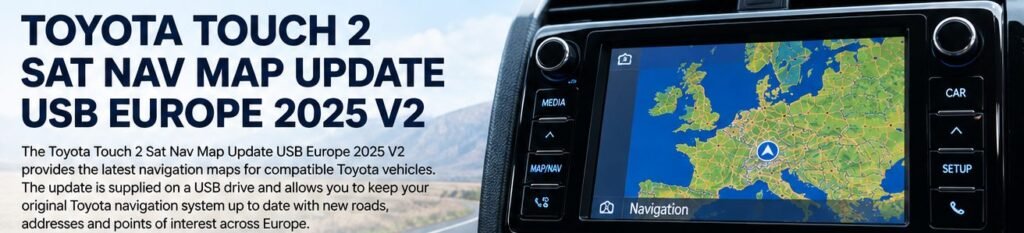
The Toyota Touch 1 Sat Nav Map Update USB Europe 2025 is intended for compatible first-generation Toyota Touch & Go and Touch & Go Plus navigation systems, also known as the CY11 navigation platform. The listed 2025 update is associated with software version 2.25.3 and Q4 2024 map data. Check the exact version offered by your product before ordering.
This update uses a USB drive and may require an activation code generated for the navigation unit. Confirm compatibility before purchase because Toyota vehicles from similar years can have different multimedia systems.
What Is Toyota Touch 1?
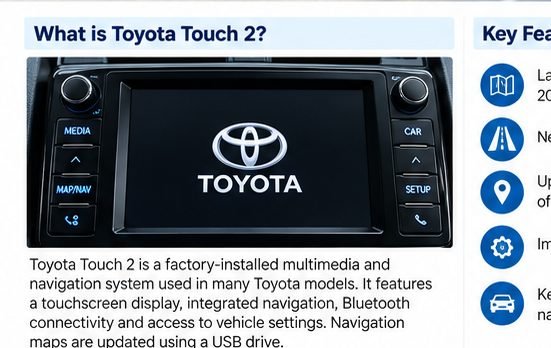
“Toyota Touch 1” is commonly used to describe the first-generation Touch & Go and Touch & Go Plus systems introduced around 2011. These systems combine factory multimedia functions with built-in navigation and a map database that can be updated using a compatible USB package.
This update is not intended for Toyota Touch 2 or Touch 3. The system generation and displayed software information must match the product details.
Compatible Toyota Models
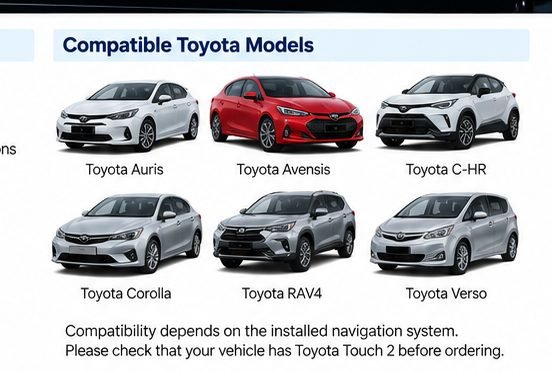
Touch & Go / Touch & Go Plus may be fitted to selected versions of the following models:
- Toyota Auris (2013–2014)
- Toyota Avensis (2012–2015)
- Toyota Camry (2012–2013)
- Toyota Corolla (2011–2013)
- Toyota GT86 (2012–2015)
- Toyota Hilux (2012–2014)
- Toyota Prius (2012–2013)
- Toyota RAV4 (2012–2014)
- Toyota Verso (2011–2013)
- Toyota Yaris (2011–2014)
- Toyota Venza (2012–2015)
These are example applications, not a guarantee for every vehicle of those years. The update is intended for compatible vehicles sold for the Europe and CIS markets. Check the installed navigation system before ordering.
https://navimapupdate.eu/product-category/toyota/
Check the Software Version and Map ID
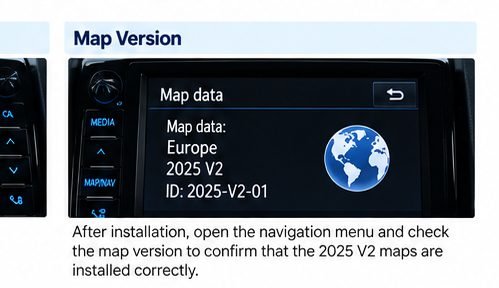
Before ordering, take a photo of the software version and Map ID. On many Touch & Go units, the information can be found by opening:
SETUP → General → System information
The software version and Map ID help determine the correct update and activation details. If the seller asks for this information, send a clear image of the complete screen before the order is prepared.
Europe Map Coverage
The Europe and CIS map package includes coverage for many destinations, with availability varying by the selected map configuration. Listed coverage may include the United Kingdom, Ireland, Germany, France, Spain, Portugal, Italy, the Netherlands, Belgium, Austria, Switzerland, Poland, the Nordic countries, the Baltic states and many other European countries.
If you need navigation for a particular country, confirm its inclusion in the package before ordering.
https://navimapupdate.eu/product-category/toyota/
What Is Included in the USB Update?
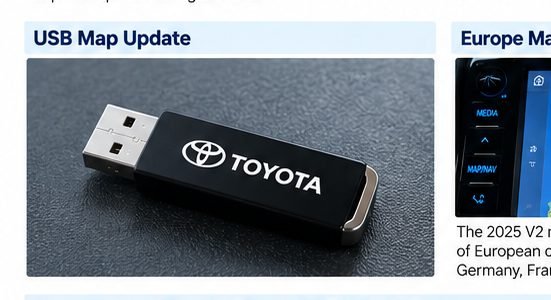
The update option may be supplied on a USB drive or as downloadable files, together with activation instructions. Check the product option you select and read the instructions supplied with the package.
- Compatible map update package for the specified system
- USB delivery or download, depending on the selected option
- Activation instructions or activation code process, where required
The activation process may require a request code displayed by the navigation system. The details must match your unit, so do not use activation information intended for another device.
How to Install Toyota Touch 1 Map Update 2025

- Check compatibility. Confirm Touch & Go / Touch & Go Plus and record the software version and Map ID.
- Start the vehicle. Follow the package instructions for vehicle power and update preparation.
- Insert the USB drive. Connect it to the vehicle’s USB port and wait for the update prompt.
- Confirm the update. Read the on-screen prompt and proceed only if the displayed update matches the expected system.
- Complete activation. If the system displays a Device ID or request code, follow the activation procedure supplied with your update.
- Choose the map region. Follow prompts for selecting a region or countries if available.
- Wait for completion. Do not remove the USB drive or interrupt the process while the system is updating.
- Restart and verify. When the instructions say the update is complete, restart the system and check the map version and route guidance.
Important: Some older units may require a staged update. Follow the instructions supplied for your particular software version; do not assume every unit follows the same sequence.
https://navimapupdate.eu/product-category/toyota/
Does Toyota Touch 1 Require an Activation Code?
The listed USB update may require activation. During installation, the navigation system can display a request code that is used to generate the matching activation code. The exact procedure depends on the package and installed software.
Keep a clear photo of the Device ID and request code if requested by the seller. Never enter a code supplied for a different navigation unit.
Common Toyota Touch 1 Update Problems
The USB Drive Is Not Recognised
Check that the USB package was prepared according to the supplied instructions and that the drive contains the expected files.
The System Requests an Activation Code
This may be part of the update process. Use the Device ID and request code as directed by the seller to obtain the correct activation information.
The Update Fails or Restarts
Some older systems may update in stages and restart during the process. Follow the instructions for your package and do not interrupt an active update.
The Map Update Is Not Accepted
Recheck the system generation, software version and Map ID. A Touch 2 or Touch 3 update is not interchangeable with Touch 1.
Frequently Asked Questions
Is this update compatible with Toyota Touch 2?
No. This article concerns first-generation Touch & Go / Touch & Go Plus. Touch 2 uses a different system generation.
Do I need the Map ID before ordering?
Have the software version and Map ID ready. The seller may need this information to confirm compatibility and prepare activation details.
Can I install the update myself?
Yes, if the package matches your system and you follow the supplied installation and activation instructions carefully.
Does it cover Europe?
The package is intended for compatible Europe/CIS-market units. Confirm the exact country coverage for the product before ordering.
Conclusion
The Toyota Touch 1 Sat Nav Map Update USB Europe 2025 is intended for compatible first-generation Touch & Go and Touch & Go Plus navigation systems. Before ordering, confirm the system generation and provide the correct software version and Map ID if requested. Follow the package-specific USB and activation instructions to complete the update safely.